

 Add us on Google
The 3 Million Technical Talent (3MTT) Nextgen Entry Assessment for Cohort Four is now live. This is an important step in your onboarding process and brings you closer to unlocking your full learning experience on the platform.
Log in to your 3MTT dashboard, complete the assessment, and move one step closer to unlocking your full learning experience.
How to Take the Nextgen Entry Assessment
Please follow the steps below to take the Nextgen Cohort Entry Assessment.
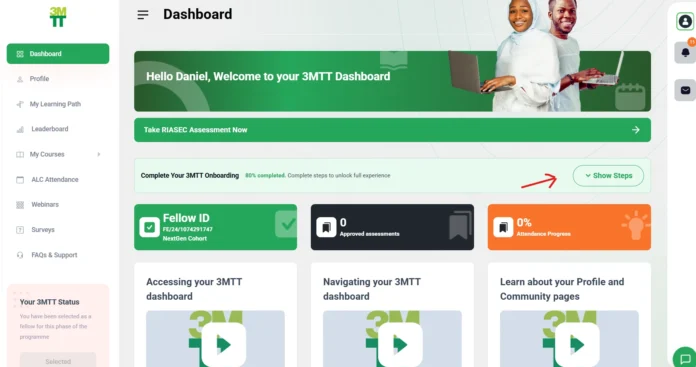
Please log in to your 3MTT Dashboard and click on “Dashboard” to view your onboarding page overview.
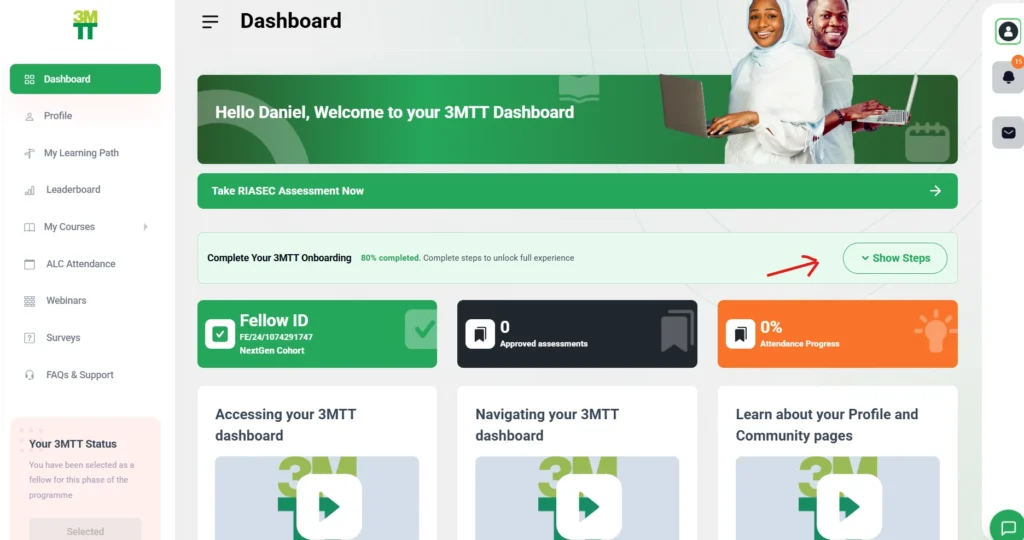
Click on the “Show Steps” icon beside the “Complete your 3MTT Onboarding” card.
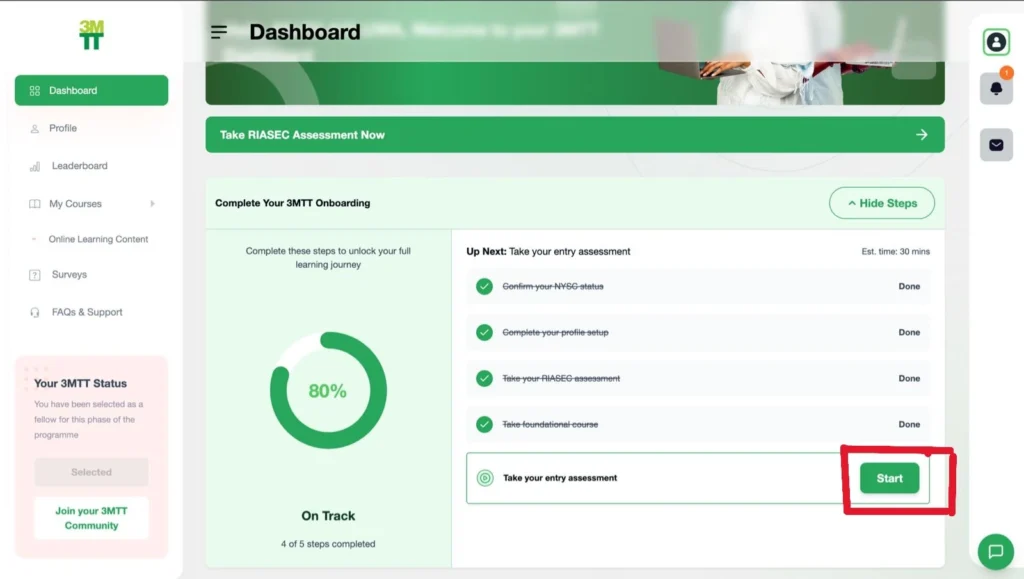
Click on “Start” under “Take your entry assessment,” which will lead you to the assessment platform.
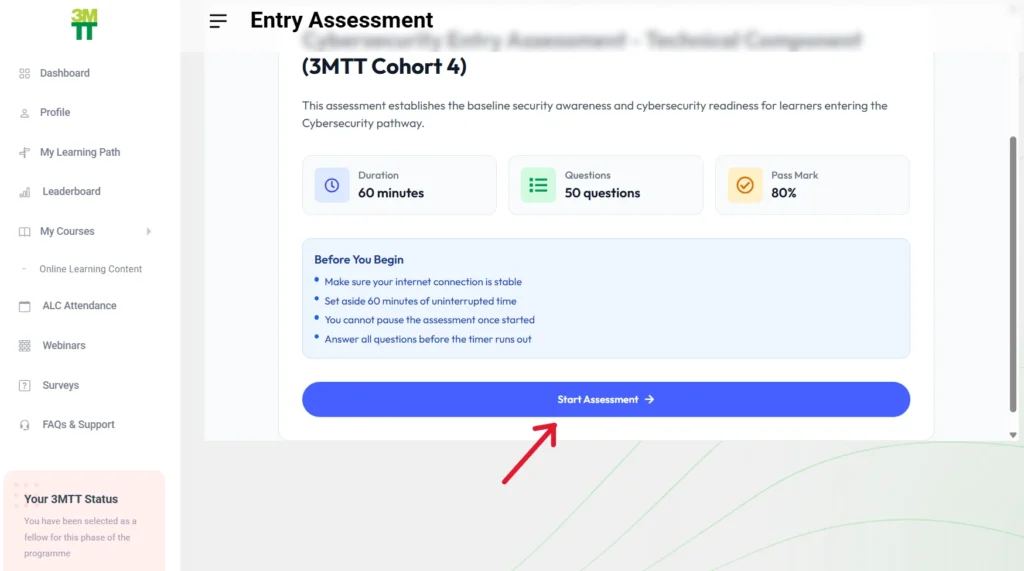
Once you are taken to the assessment page, click on “Start Assessment” to begin.
Please note that, by default, the course you selected on your 3MTT Dashboard is the one you will take during the assessment.
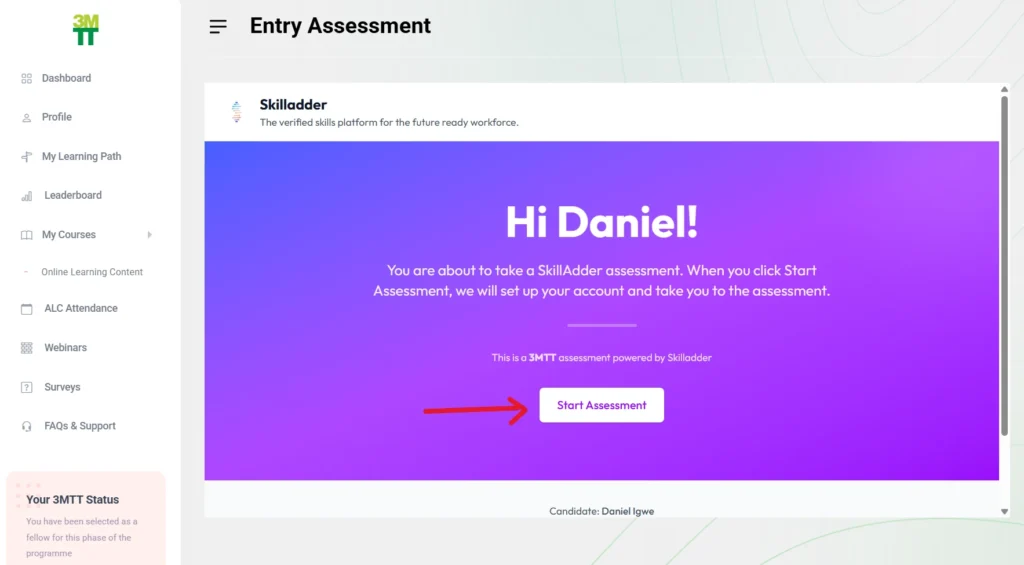
You will be directed to an overview page with instructions and details. Before you begin, carefully review the information for clarity.
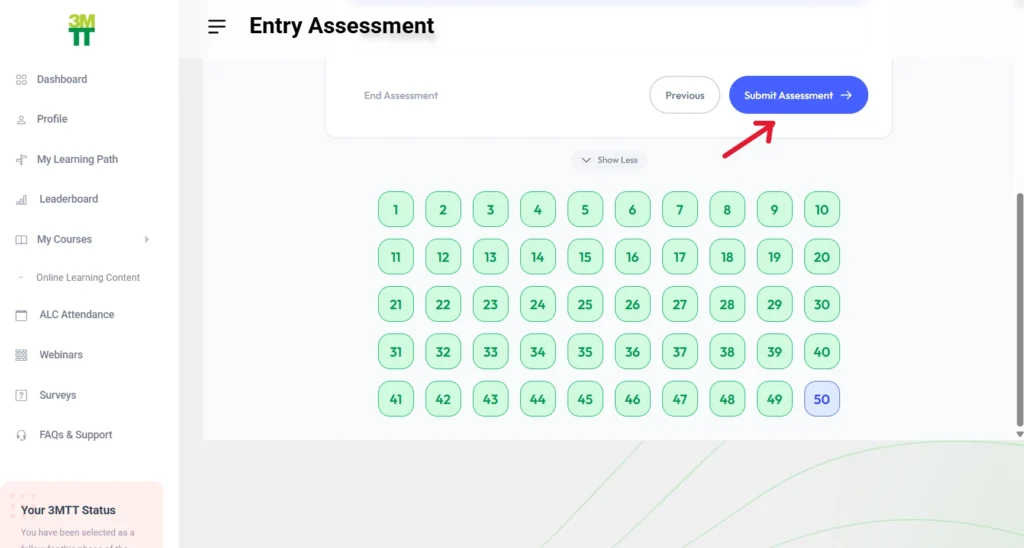
Once you have answered all the questions, click on “Submit Assessment.”
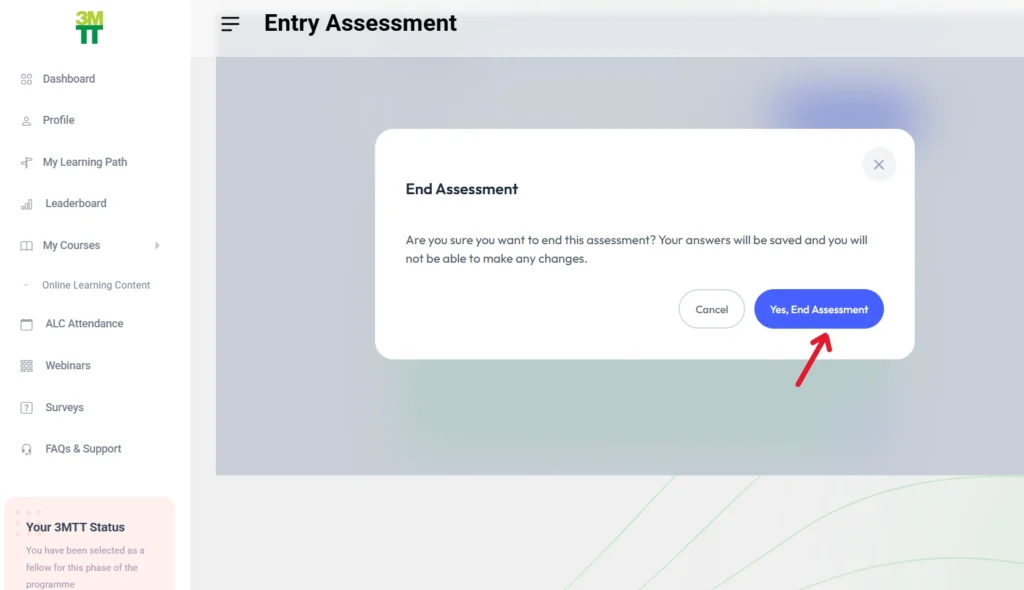
If you are confident in your answers and ready to submit, click on “End Assessment.” Once you end the assessment, you can no longer attempt it again, and it will be submitted permanently.
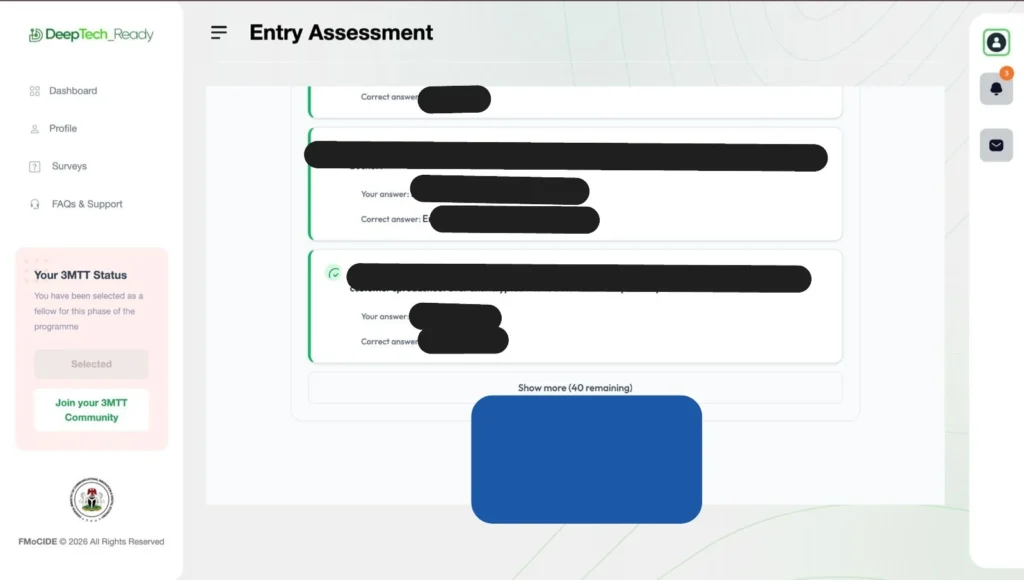
After ending the assessment, you will be able to view the correct answers and review your score. You may leave the page once you are done.
Good luck on your assessment.

