
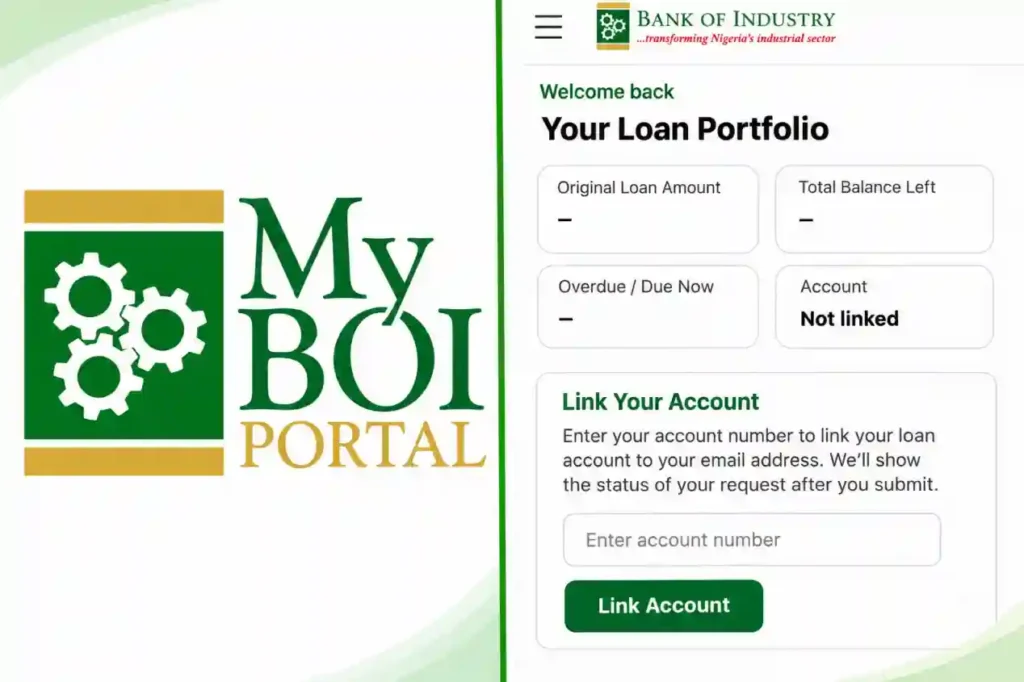
The Bank of Industry (BOI) has provided a LoanMgr option on its MyBOI dashboard, giving loan applicants another way to access loan management information.
 Follow us on Google News
The feature is attracting attention among applicants seeking information about loan managers, who may handle application processing through approval and eventual payment.
On the LoanMgr page, applicants can view a loan portfolio showing the original loan amount, outstanding balance, overdue payments and account linking status.
The page also has a section requesting an account number to connect a BOI loan account to the applicant’s registered email address.
Some new users may see “Not linked” or “Account number does not exist” if their details are not yet recognised.
BOI explains that customers receive a Customer ID only after successful onboarding. An application marked “Submitted – Awaiting Approval” does not mean the loan has been approved or disbursed.
Account linking is separate from applying for financing itself.
How to Open Loan Manager Profile and Link Your Account
Visit https://onlineportal.boi.ng/ and sign in to your MyBOI account.
On your dashboard, locate the LoanMgr button and select it to access the loan management page.
Follow any registration or login instructions displayed to open your profile.
Under “Link Your Account”, enter your BOI account number and select “Link Account”.
Check the response displayed on the screen. If your Customer ID is still pending, complete the required onboarding steps and check again after BOI issues your number.
If the number is rejected despite being correct, contact BOI customer support for assistance.