

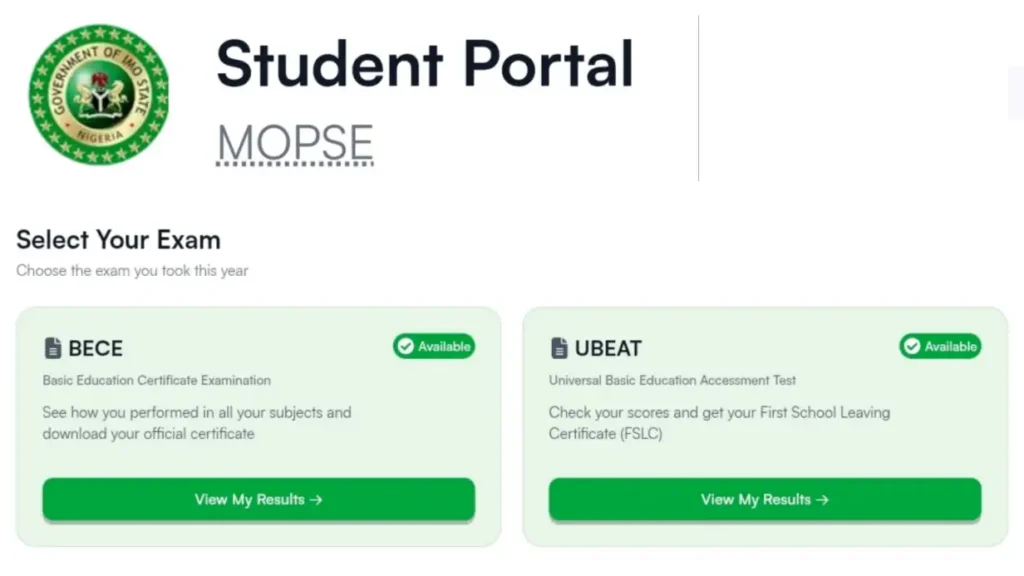


The Imo State Government has launched an online portal that allows candidates to easily check, download, and print their UBEAT (FSLC) and BECE certificates from anywhere in the world. This new digital system removes the stress of travelling, standing in long queues, or searching endlessly for old school records.
Students, parents, schools, and guardians can now access official certificates in just a few minutes using an exam number and a small processing fee.
The online verification platform is designed to be fast, secure, and convenient for all Imo State candidates.
Imo State UBEAT and BECE Certificates Now Available Online
Candidates who sat for the UBEAT (First School Leaving Certificate Examination) or the BECE (Basic Education Certificate Examination, also known as Junior WAEC) can now retrieve their certificates online without visiting government offices physically.
The digital platform provides officially verified certificates that can be downloaded and printed instantly.
According to the information released, users only need to enter their exam details correctly to access their result and certificate.
Official Portal for Result Checking
Candidates can access the official Imo State result checking portal. The platform works for both UBEAT and BECE candidates.
Benefits of the Online Certificate System
The new online system comes with several advantages for students and parents, including:
- Fast processing
- Secure verification
- Easy access from any location
- Official government-backed certificates
- Reduced stress and travel costs
Candidates no longer need to spend hours searching for records or waiting endlessly for manual processing.
How to Check and Download UBEAT or BECE Certificate Online
Candidates can follow these simple steps to access their certificates online:
Step 1: Visit the Official Portal
Go to the official result-checking website: education.im.gov.ng/result-checking.
Step 2: Select Examination Type
Choose either:
- UBEAT
- BECE
depending on the examination you wrote.
Step 3: Enter Your Details
Provide:
- Your Exam Year
- Your Exam Number
Make sure all details are entered correctly.
Step 4: Confirm Candidate Information
The system will display the candidate’s name for confirmation before processing continues.
Step 5: Make Payment
Candidates are required to pay a processing fee of ₦1,000 only.
Step 6: Download and Print
After successful payment, the certificate can be downloaded instantly and printed on certificate paper.
What to Do If You Forgot Your Exam Number
Many candidates may no longer remember their exam number, especially for older examinations. The portal also provides a recovery option.
For UBEAT Candidates
Users can click on:
“Don’t Know Your Exam Number?”
They will then be required to provide:
- Full Name
- School Name
- Local Government Area (LGA)
The system will retrieve the exam number automatically.
For BECE Candidates
Candidates who forgot their BECE exam number are advised to contact their school for assistance in retrieving the correct details.
Where to Find Your Exam Number
Your exam number was originally provided during registration by your school.
It can usually be found on:
- Exam slip
- Registration form
- School records
Candidates who cannot locate their details should speak with their class teacher or school administrator.
Accepted BECE Exam Number Formats
Candidates must enter their BECE exam number exactly as issued.
The portal accepts formats such as:
- XX/000/000
- XX/000/0000/000
- XX/XX/000/0000
Examples include:
- ok/977/2025
- ok/977/2025/001
Users are advised to:
- Use lowercase letters
- Include all forward slashes correctly
- Avoid adding spaces unnecessarily
Entering the wrong format may prevent successful result retrieval.
Candidates should ensure that all details entered on the portal match their original examination records. Incorrect information may delay certificate access.
The online certificate system is expected to make academic verification easier for students applying for further education, employment opportunities, and official documentation processes.
Parents and guardians are also encouraged to help younger candidates complete the process carefully to avoid mistakes during payment or download.