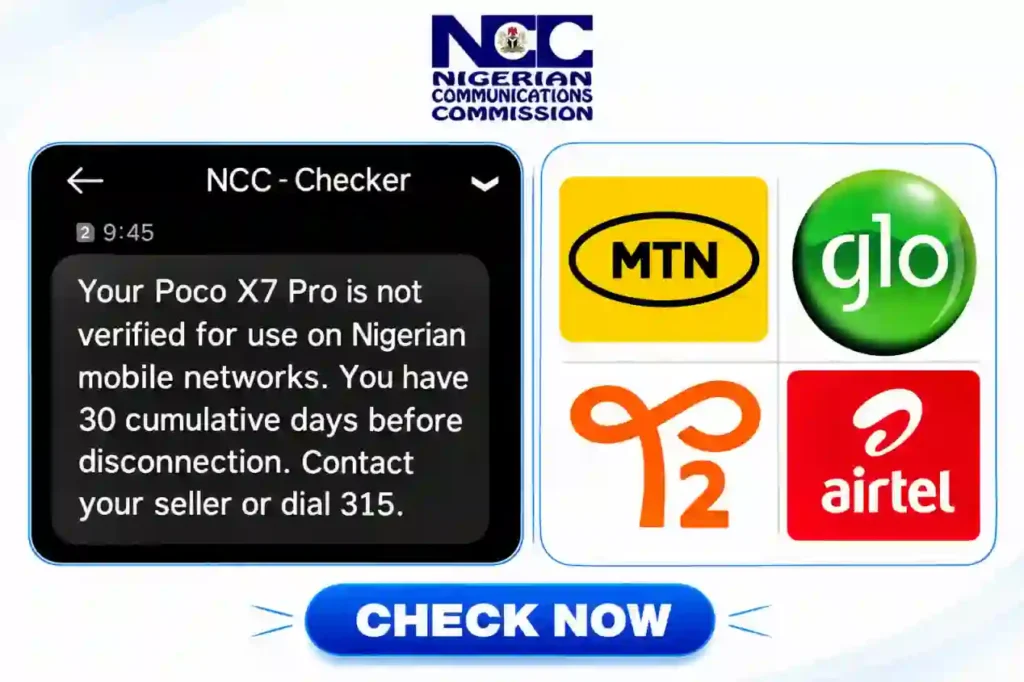
The federal government, through the Nigerian Communications Commission (NCC), has begun checking mobile phones through its Device Management System (DMS), as some Nigerian phone users report receiving messages warning that their devices are not verified for use on local networks.
 Follow us on Google News
One message shared by a Poco X7 Pro user says the phone is not verified and warns that it has 30 cumulative days before disconnection. Other users have shared a different result confirming that their devices are approved for use on Nigerian mobile networks.
The warning does not automatically mean a phone is fake. It means the device’s status needs to be checked. The NCC device checker can be accessed by dialling *315# and selecting option 1, “Check this device.” The system then displays the status.
What phone users should know
- If the result says the device is approved and verified, keep a screenshot for your records.
- If the result says the phone is not verified, contact the seller and ask for help resolving the issue.
- The message tells affected users to contact their seller or dial 315. Some vendor notices also direct users to call 622 for assistance.
- Phone vendors can contact the NCC through its customer support channels to clarify device registration requirements.
- The International Mobile Equipment Identity (IMEI) is a unique number used to identify a mobile device. To view it, dial *#06# on the phone.
- The NCC’s Device Management System is intended to help verify devices and enforce compliance with type-approval and registration requirements.
There have also been claims online about fees of about ₦670 for standard phones and ₦3,700 or more for high-end devices. These amounts should be confirmed with the NCC before anyone pays. Vendors have also been advised to register existing stock, with October 6, 2026, cited in circulating notices as a deadline for free registration of devices already in stores.
Phone owners should avoid panic and should not pay money to personal accounts based only on forwarded messages. Check the device status and seek clarification through official channels if the result is unclear. Do not share your IMEI publicly when asking for help online.
How to check
- Dial *315# from your phone.
- Select option 1, “Check this device.”
- Read the result displayed on your screen.
- If your phone is marked unverified, contact your seller or dial 622 to ask the NCC for guidance.
- Keep the SMS and result screenshot, and confirm any fee or next step with the NCC before paying.